
This is where you check who still owes you money and count the till at closing time. Click Business → Reports.
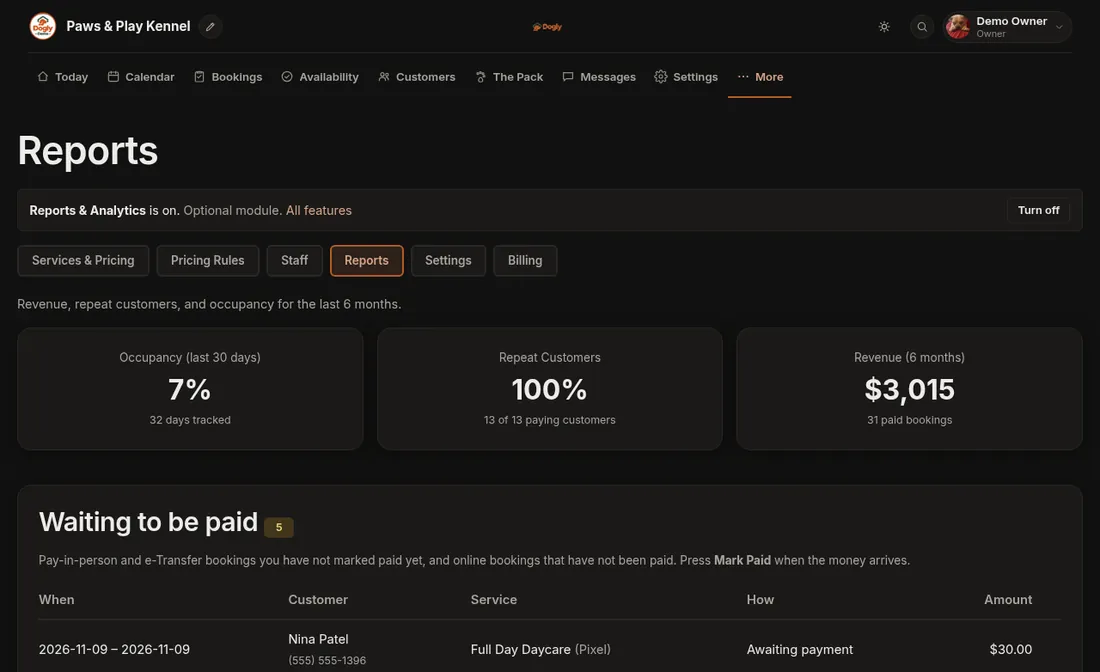
- Waiting to be paid: every booking that has not been paid yet (pay-at-drop-off, e-Transfer, or online but unfinished), oldest first. Press Mark Paid right there when the money arrives. The button shows for pay-at-drop-off and e-Transfer bookings. Online card bookings mark themselves paid.
- End-of-day tally: pick a day to see what you marked as received that day, split into cards, cash and debit, e-Transfer and balances collected. The total is there to count against your till and bank.
- Busiest nights coming up: any night in the next 30 days that is 70% full or more, so you can plan staff and know when to raise prices.
- Revenue by month and by service, plus occupancy and repeat customers.
Good to know
- The tally is based on when you pressed Mark Paid, so mark payments the day you receive them.
- Staff only see Reports if you gave them the See Reports permission.
Related: Mark a booking paid, Decide what each staff member can do.