
Plans change. Cancelling releases the dates straight away so someone else can book them.
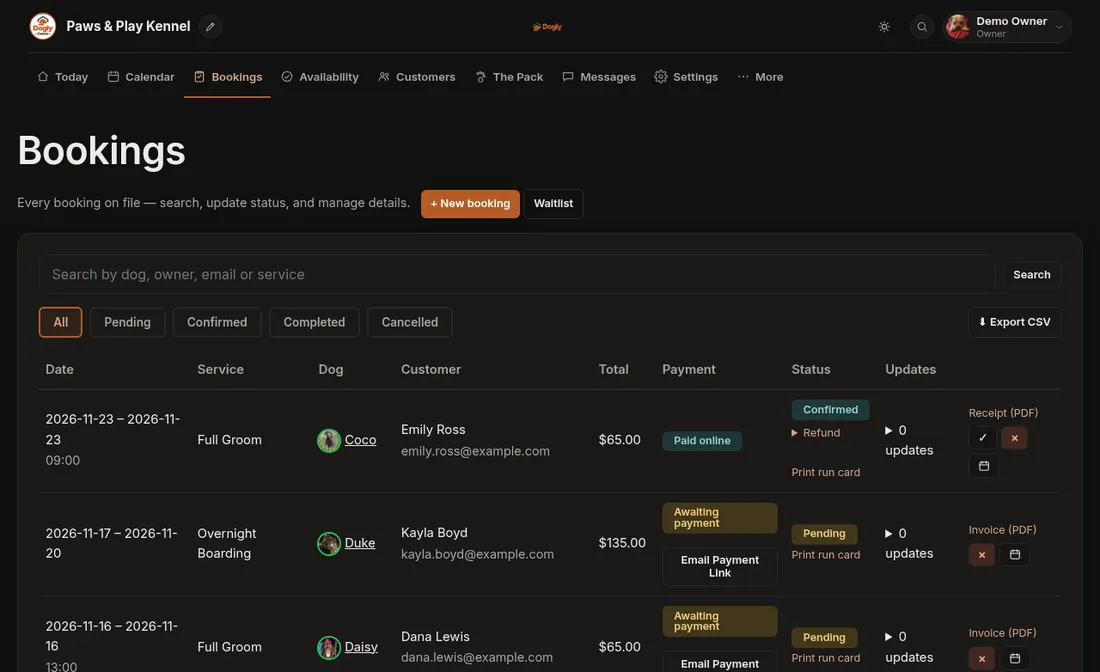
- Click Bookings.
- Find the booking. The status buttons and search box help.
- Press the × (cancel) button on that row and confirm. Dogly asks you to confirm because the dates are released immediately.
Good to know
- If the customer paid by card, the money is not returned automatically when you cancel. The booking shows Refund needed. Press Refund under its status (you need the Issue refunds permission), or refund it in your Stripe or Square account.
- Only moving the dates? Use Move a booking to different dates instead.
- For refund details see Refund a customer.