
This page shows where you stand with your Dogly subscription. Go to Business → Billing to see it. Only the owner can open it.
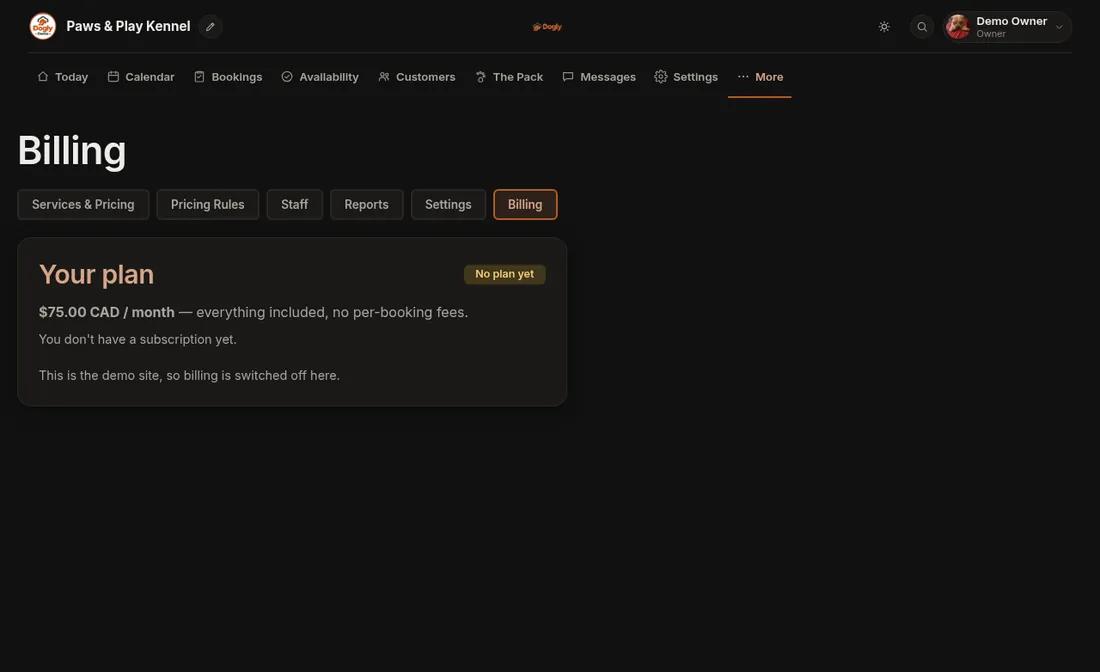
What you will see
- Your plan with a badge: Free trial, Active, Payment needed, Ended or No plan yet.
- The price. It is one plan with everything included and no per-booking fees: $75 CAD per month, or $750 CAD per year (two months free). No tax is added to your Dogly subscription.
- When your trial ends, your next charge, and the card on file.
Start your subscription
- Press Add a card & subscribe, or Pay yearly if you prefer one payment a year.
- Enter your card on Stripe's secure page.
- You come back to Billing and see a thank-you message. The badge changes.
Your free trial is 30 days from signing up and needs no card. If you subscribe with a couple of days or more left, you are not charged until the trial ends. Dogly emails you 7 days and 1 day before it runs out.
Change your card or cancel
Press Manage billing. It opens Stripe's secure page, where you can change your card, download invoices or cancel. If you cancel, billing shows Cancels on a date, and your site stays live until then. The current period is not refunded. You can undo the cancellation from Manage billing before that date.
If it does not work
- The badge says Payment needed: a payment did not go through, so your public booking site is paused. Press Update payment method and it comes back right away. Your dashboard and your data stay available meanwhile.
- The trial has ended and the site shows a holding page: subscribe here and it returns.
- It says it is still confirming your payment: refresh in a moment.
- No buttons appear: online billing may not be switched on. Open a ticket under Dogly Support.
Related: Add or change my card for my Dogly subscription and Your data: export and deletion.