
The calendar answers "who is coming and going, and when?" There are three views that share one set of tabs: Day (the Today screen), Week and Month. Pick the one that matches the question.
Month
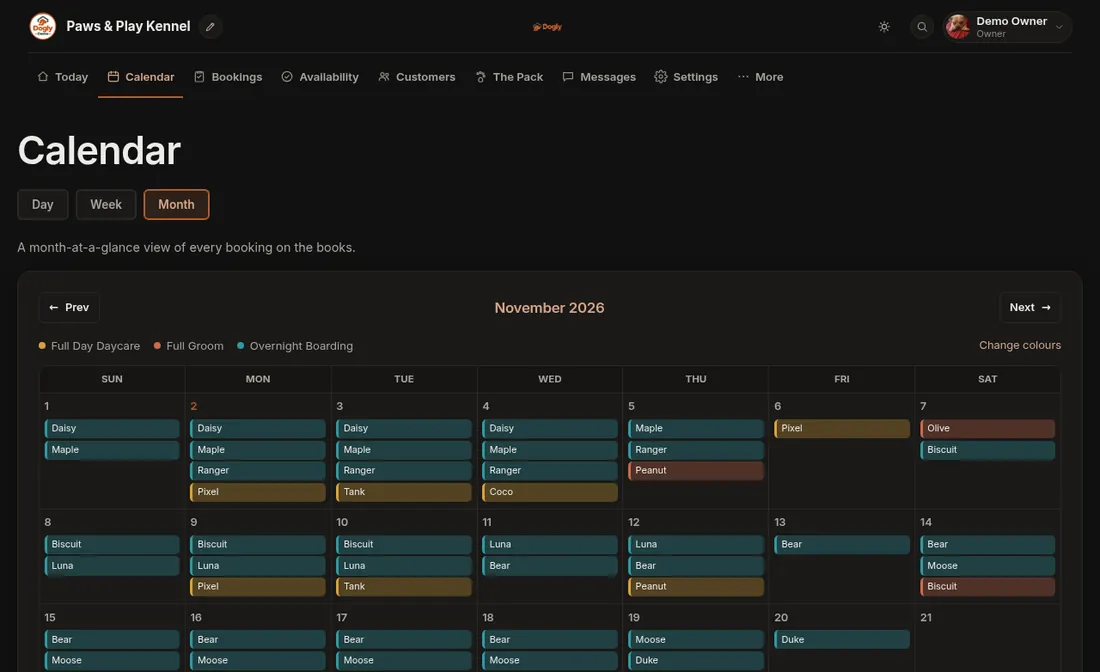
Open Calendar. Each booking appears on every day it covers, so a three-night boarding stay shows on four days, from drop-off day to pick-up day. On a computer each booking is a coloured chip with the dog's name (four per day, then a note such as +2 more). On a phone each day shows small coloured dots. Tap a day to list its bookings underneath. Tap a booking to open the dog's info card. Use Prev and Next to change month.
Week and Day
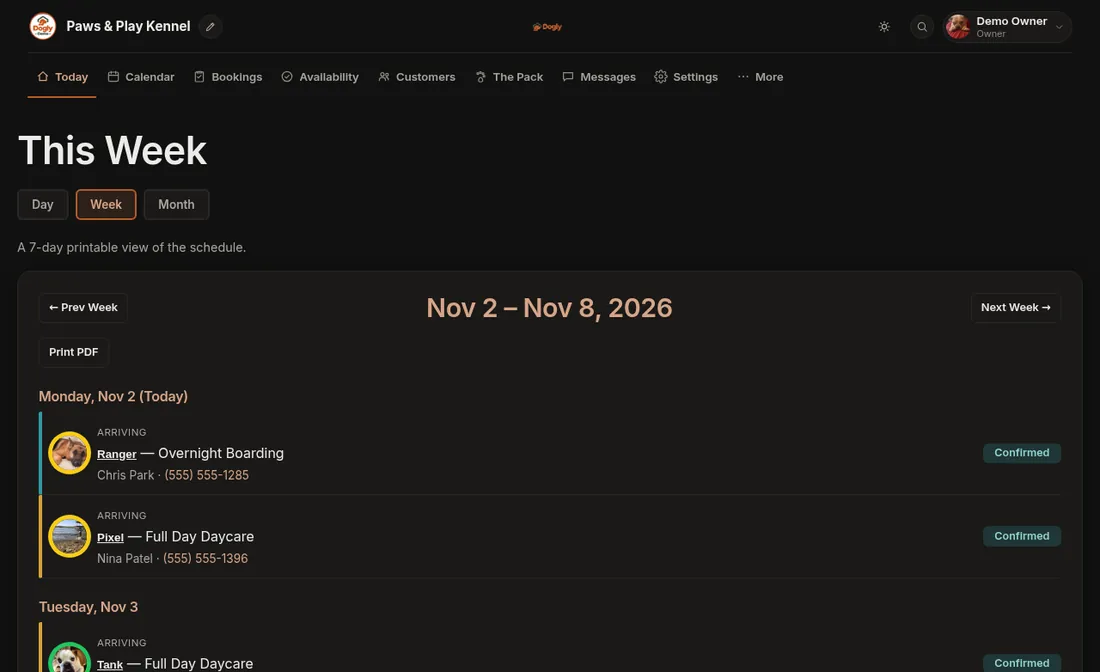
The Week tab lists seven days at a glance, with each day's arrivals, check-outs and grooming. The Day tab (Today) splits one date into Arriving, Checking Out and Grooming. Both have a Print PDF button, handy for the front desk or a shift handover.
Colours
Each service has its own colour, and a colour key above the calendar shows which is which. Boarding, daycare and grooming each have a default colour. Owners can pick another: go to More → Business → Services & Pricing, open the service, untick Use the default colour, choose a Calendar colour and press Save Changes. Owners also get a Change colours link beside the colour key.
Good to know
- Only pending and confirmed bookings show. Once a booking is marked Completed or Cancelled it leaves the calendar and the schedules.
- A dog with a temperament colour flag has a coloured ring around its photo on the schedules.
- To close a day or change how many dogs you can take, use Availability.