
A customer got a new puppy, or you forgot a dog the first time? Add the dog to their existing record so you can book it in.
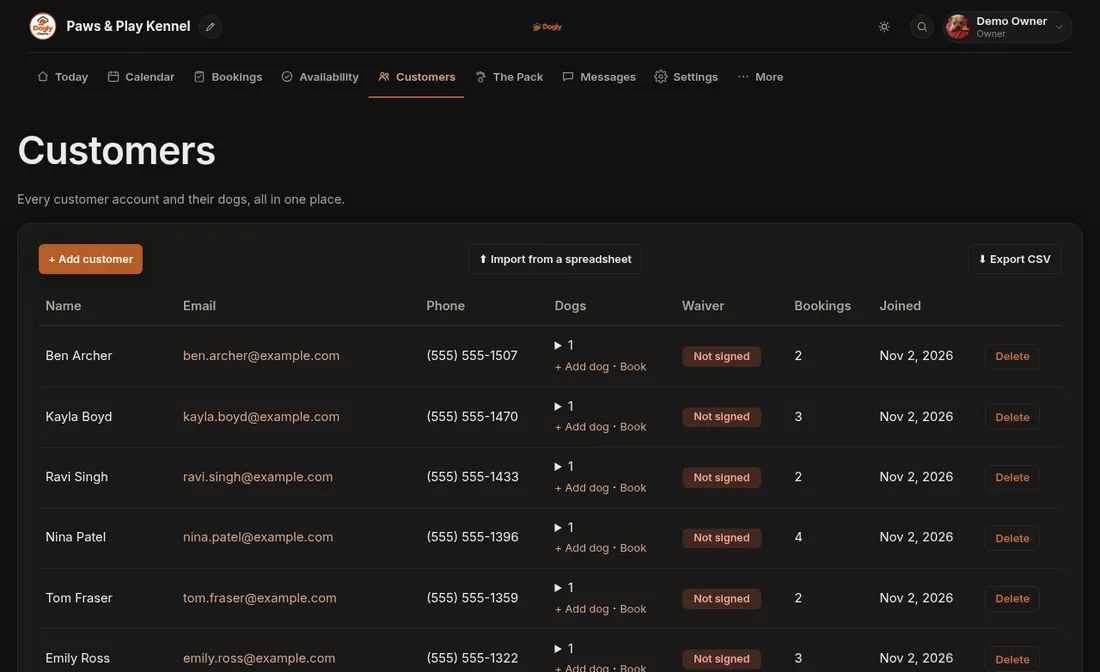
- Click Customers and find the customer.
- Press + Add dog in the Dogs column on their row.
- Fill in the name, breed, weight and anything else you know: feeding, medication, vet and vaccination details.
- Press Save dogs.
Good to know
- Customers can also add their own dogs from their account on your website.
- If you require vaccination records, a dog without a current one cannot be booked until you add the details.
- To change a dog later, see Look at or change a dog's profile.