
A service is anything customers can book and pay for, like overnight boarding, a day of daycare or a grooming appointment. Add one whenever you start offering something new.
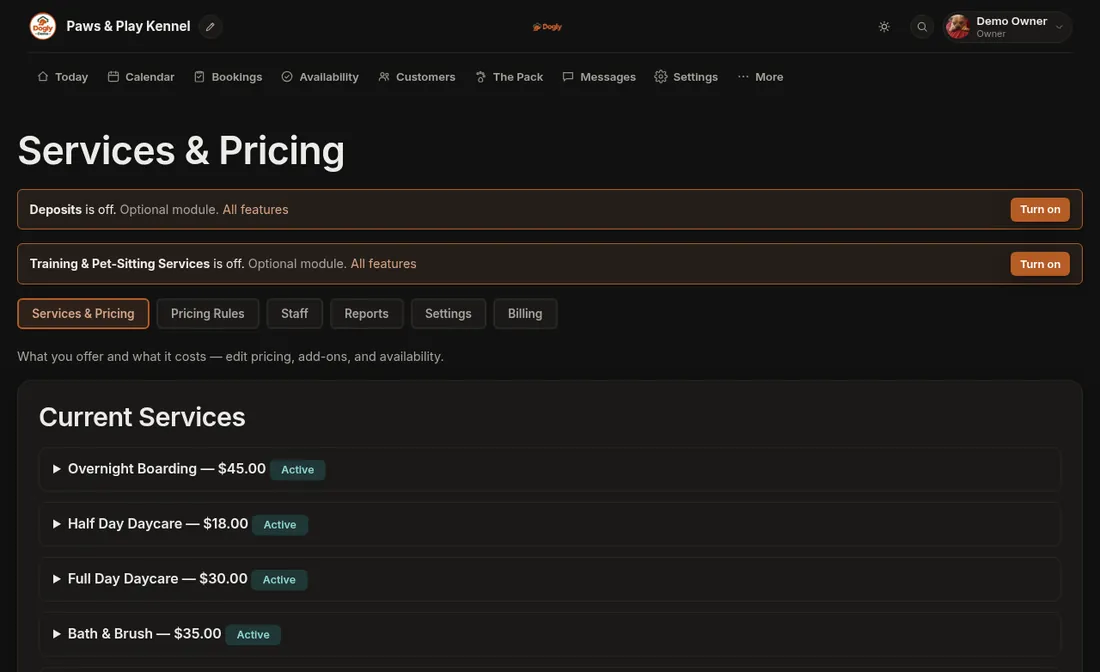
- Click More, then Business. You land on the Services & Pricing tab.
- Scroll down to Add a New Service.
- Choose the Type: Boarding, Daycare, Grooming or Add-On.
- Type a Name your customers will recognize, such as "Overnight Boarding", and a short Description.
- Type the Price in dollars. Then type a Duration Label such as "per night" or "half day". Customers see the label beside the price. It is wording only and does not change how the total is worked out.
- Leave Visible to customers ticked if you want it on your booking page right away. Untick it to keep the service hidden while you get ready.
- Press Add Service. The new service shows up under Current Services.
Good to know
- Boarding is priced per night and daycare per day. If you offer full days and half days, make each its own service. Grooming is one flat price per appointment. An Add-On is a flat price per booking, not per night.
- The price has to be more than $0.
- Starting from a blank page? When the list is empty you will see Add three starter services for me. It adds boarding, daycare and grooming with suggested prices. They stay hidden until you set your own prices and tick Visible to customers.
- The Capacity Group, Location and Deposit boxes only appear when you have turned those features on.
- Training and Pet-Sitting only show up as types if you turn on that feature in Features. Once they are on, customers can book them online. Training is a price per session: add the times customers can pick under Availability (choose Training). Pet-Sitting is a price per day: customers pick a first and last day, and it does not use your boarding spots.
If it does not work
- Nothing was added and the page reloaded. The name was empty or the price was $0. Fill both in and try again.
- It is not on your booking page. Look for a grey Hidden badge beside it. Open the service, tick Visible to customers and press Save Changes.
- You cannot find Business. Only the owner account sees it. Staff accounts do not.
Next steps: Change a price or hide a service, Open up grooming appointment times and Add-ons: extras customers can add.