
Most kennels will not take a dog whose shots have lapsed. This setting makes Dogly enforce that for you, so you are not chasing paperwork at drop-off.
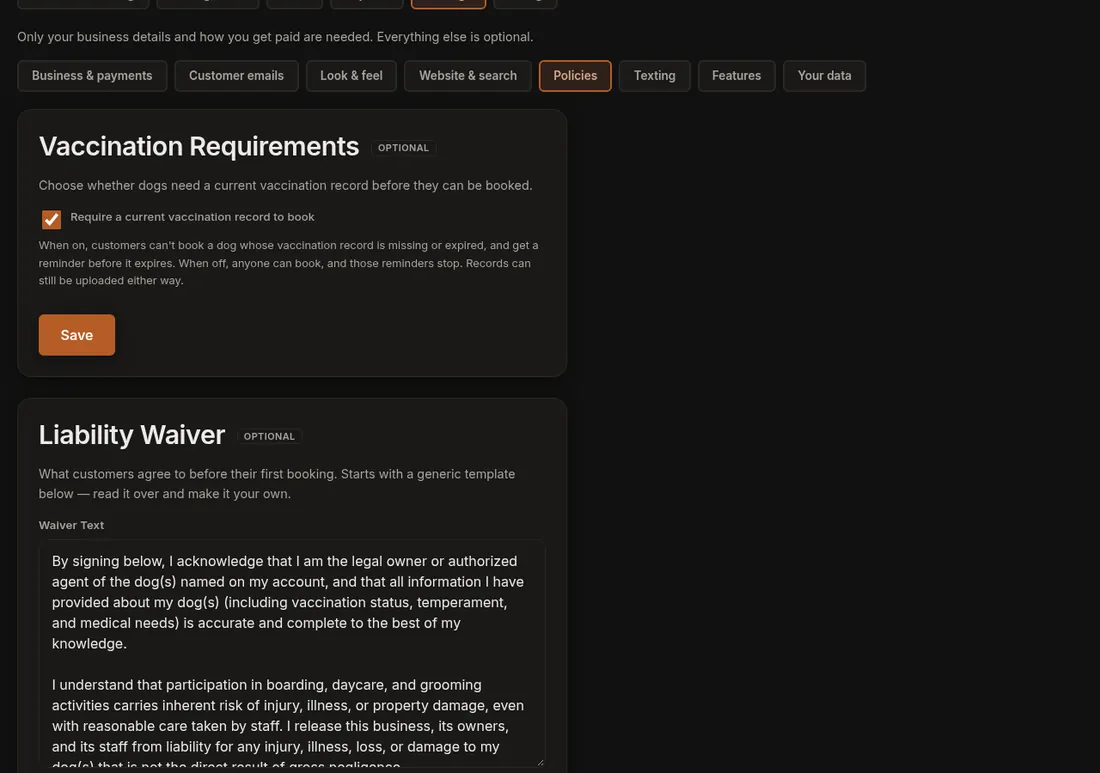
- Click Settings, then open the Policies tab.
- Find Vaccination Requirements.
- Tick Require a current vaccination record to book to turn it on, or untick it to turn it off.
- Press Save. A green line says "Vaccination setting saved."
Good to know
- It is on unless someone switched it off.
- Each dog has one vaccination expiry date on its profile. If it is empty or in the past, the dog counts as missing or expired, and the customer cannot finish a booking. They see a message with the dog's name and are asked to update it under My Dogs.
- The rule applies when your staff make a booking too, so fix the dog's profile first. See Look at or change a dog's profile.
- With the setting on, Dogly emails the owner when a dog's record is within 14 days of expiring, once for each expiry date. A text can go out as well if you turned that on in your text settings.
- With it off, anyone can book and those reminders stop. Customers can still upload records.
If it does not work
- A customer says they cannot book. Open the dog's profile and look at the vaccination expiry date. Setting a current date after you have checked their paperwork lets the booking go through.
- You cannot find the setting. It is in Settings, which only the owner account has.