
Many kennels will not take a dog without current vaccinations. This setting lets Dogly enforce that for you, so you are not chasing paperwork at the front desk.
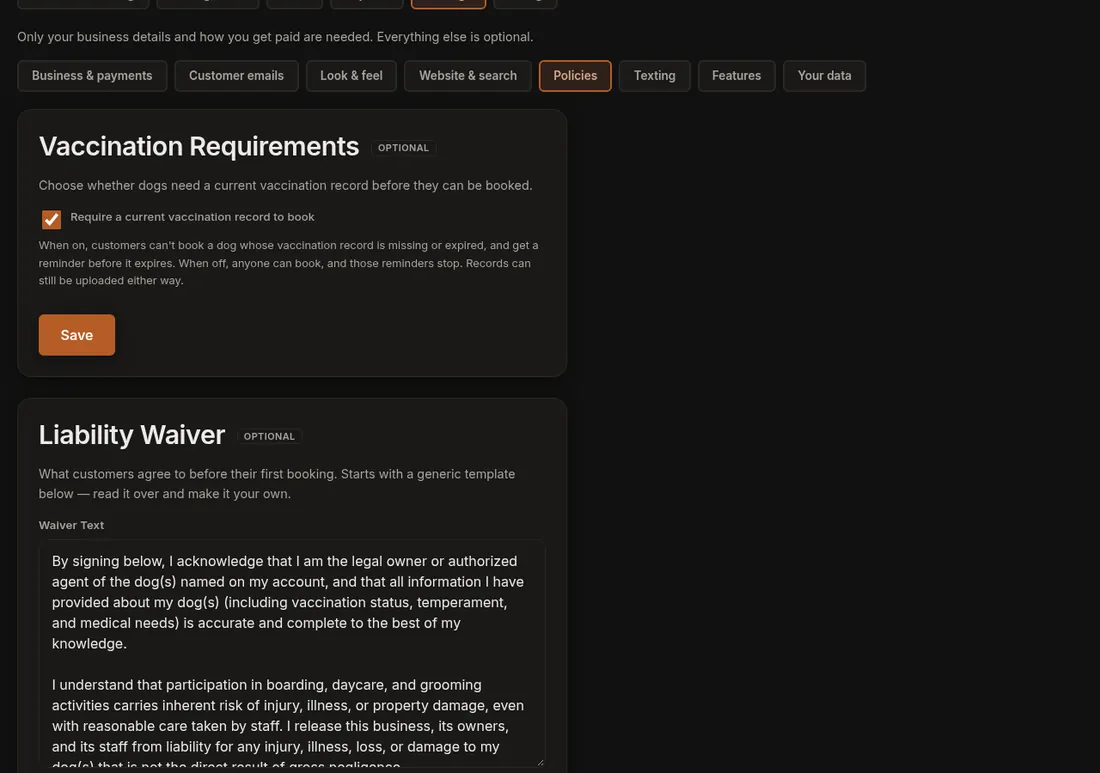
- Click Settings (the gear), then the Policies section.
- Find Vaccination Requirements and tick or untick Require a current vaccination record to book.
- Press Save. A message says "Vaccination setting saved."
What each choice does
- On (the default): a customer cannot book a dog whose record is missing or expired. The red missing and expired badges show on dog profiles.
- Off: nothing blocks a booking and those red badges are hidden. Records can still be uploaded.
Records and reminders
- Customers add a photo or file of the record, plus the expiry date, on their dog's profile.
- Files are stored privately. Only you, your staff and that customer can open them.
- While the requirement is on, one reminder goes to the owner when a dog's record is within 14 days of expiring. It is an email, and a text too if you have texting set up.
- Turning the requirement off also stops those reminders.
- Each dog has one vaccination expiry date, not one per vaccine. Use the date the first shot runs out.
If it does not work
- If a customer says they are blocked, open the dog's profile and check the expiry date is in the future and a record is on file.
- If owners are not getting reminders, check the requirement is on, and see Customer emails for the wording of the message.
- Only the account owner can change this setting.
Related: Require vaccinations to book and Liability waiver.