
Prices change, and sometimes you stop offering something for a while. You can edit a service in place, and hiding it is safer than deleting it.
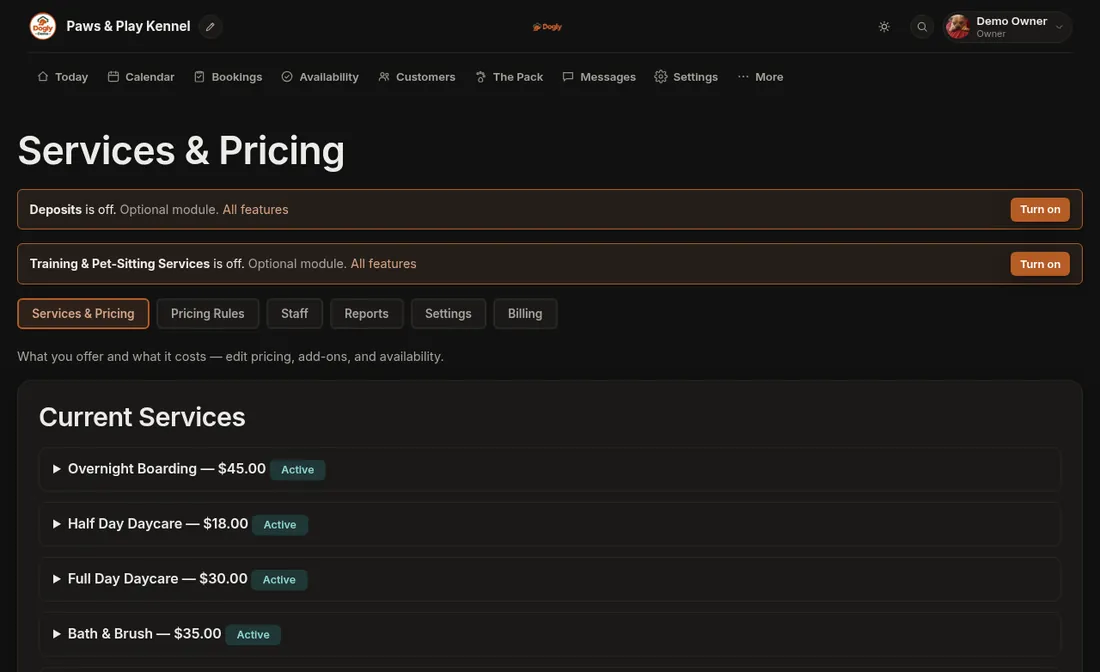
- Click More, then Business, and stay on the Services & Pricing tab.
- Under Current Services, click the service's name. Its form opens.
- Change the Price, or untick Visible to customers to hide it.
- Press Save Changes. The page reloads and the new price, or a Hidden badge, shows beside the service's name.
Good to know
- Bookings that already exist keep the price they were made at. Say you raise boarding from $45 to $50 a night. A three-night stay booked tomorrow comes to $150, while one booked last week still shows $135.
- A hidden service disappears from your booking page and your services page, and its own web address stops working for customers. Past bookings stay in your records.
- Delete is permanent. It only works if no booking, past or present, has ever used that service. If there has been one, nothing happens. Hide it instead.
- For holiday prices, extra for bigger dogs or long-stay discounts, use the Pricing Rules tab instead of changing the base price.
If it does not work
- The change did not stick. A price of $0 or an empty name is not saved. Enter an amount above $0.
- Delete does nothing. The service has bookings. Untick Visible to customers and save.
Related: Holiday, bigger-dog and long-stay pricing rules and Services and pricing.