
Your default capacity is the number of dogs you can look after on a normal night. Dogly stops customers from booking once that many dogs are in. Set it once, then adjust particular days when you need to.
- Click Settings. You start on the Business & payments tab.
- Find Default Nightly Capacity and type your usual number of dogs, for example 12.
- Press Save Settings.
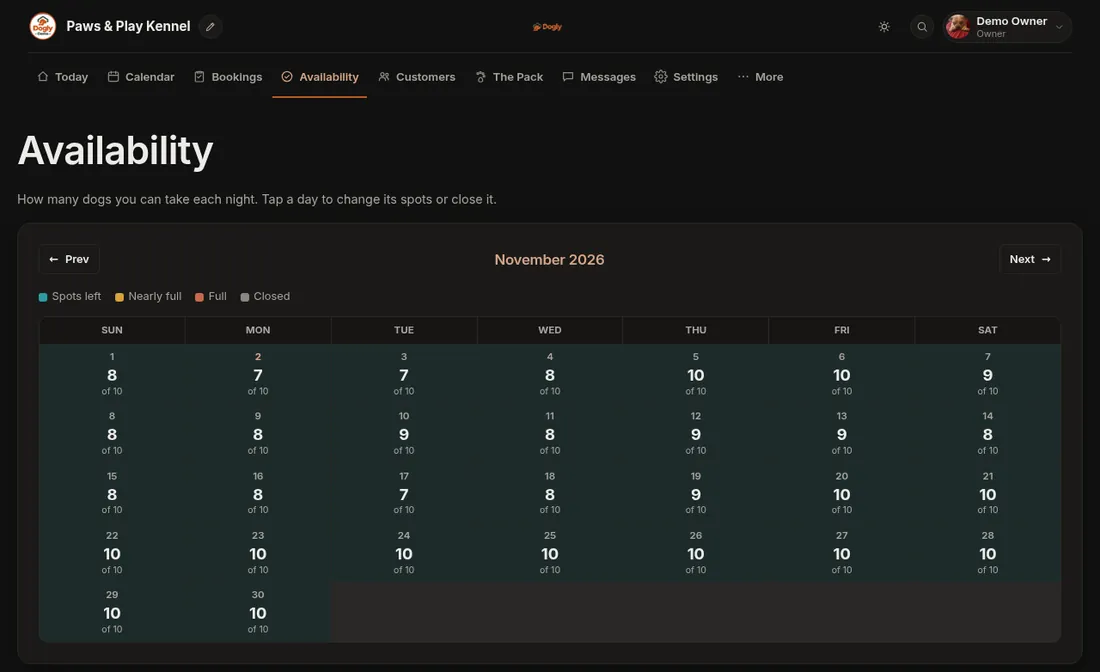
- To check it, open Availability. Each day shows how many spots are left, such as "12 of 12".
Good to know
- It counts dogs, not bookings. A booking for two dogs uses two spots.
- Boarding and daycare share the same spots, because both use this number. Grooming does not use it, since grooming runs on appointment times. To keep separate numbers for large and small runs, see Set up capacity by run type.
- The default covers days that have not been given their own number. A day you have already changed on the Availability page, and a day that already has a booking on it, keeps the number it had. To change those, edit them there.
- Lowering the number never cancels bookings you already have. It only affects new ones.
- Setting it to 0 means no spots are open.
If it does not work
- The calendar still shows the old number for some days. Those days have their own number. Tap the day on Availability and change it there.
- You cannot see Settings. Only the owner account has it. Staff can still change individual days on Availability.
For one day or a stretch of days, see Close a day or change capacity for certain dates. More detail is in Capacity and availability.