
Settings has its own icon in the main menu (the gear). It is split into sections so you only see one group at a time. On a computer they are tabs across the top, and on a phone they are a dropdown. You only need your business details and a way to get paid to take bookings. Everything marked Optional is there in case you want it.
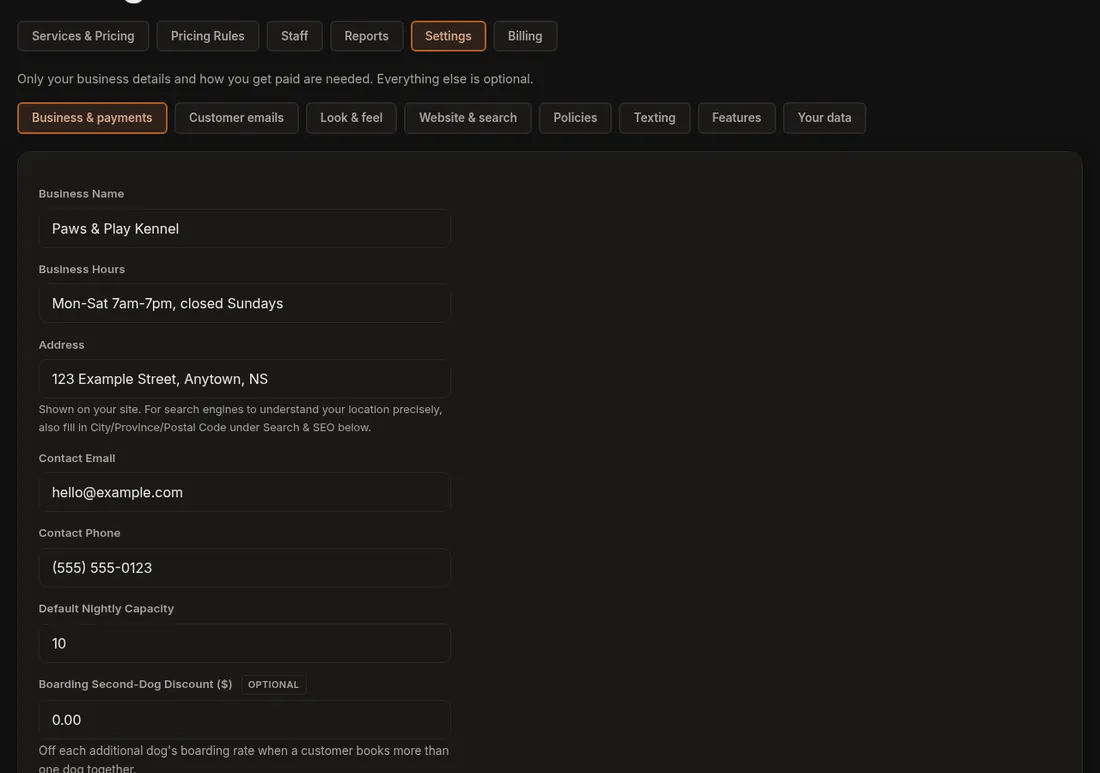
- Business & payments: business name, hours, address, contact email and phone, default nightly capacity, your payment provider (Stripe or Square), how long customers can cancel their own booking, cancellation fee and refund rules, time zone, sales tax and currency, and other ways customers can pay (in person and e-Transfer).
- Customer emails: the wording of the emails your customers get, and sending them from your own address.
- Look & feel: template, colour theme, corners, home page header, layout mix and match, logo, your social media links and icon styles, and the dog colour flags (Pack Colors).
- Website & search: the title and description Google shows, your structured address, and connecting your own domain.
- Policies: vaccination requirements and the liability waiver.
- Texting: text message reminders through your own Twilio account.
- Features: switch optional tools on and off. The same switches are on each tool's own page.
- Your data: export your data, request deletion, and clear the example dogs and customers.
Good to know
- Settings is for the account owner only. Staff accounts do not see it.
- Each section has its own Save button, so save before you switch sections.
- If you are not sure where something lives, ask Dogly Support under More.
Related: Business details, Features and Your first day.