
Reports give you a quick read on money and how full you are, without any spreadsheets.
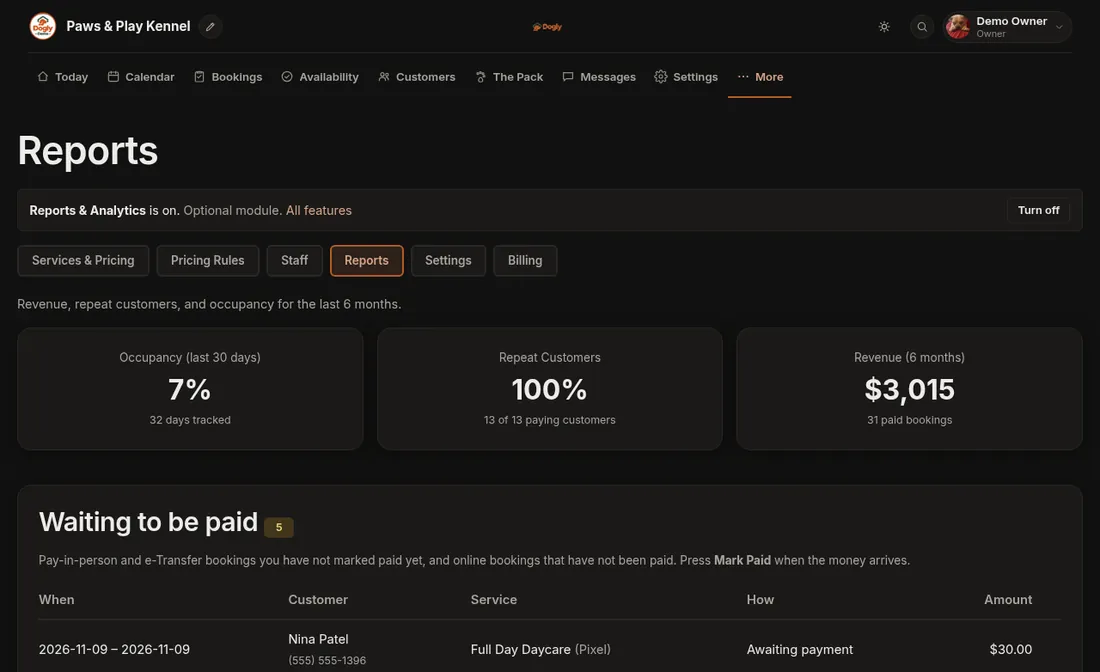
- Click More, then Business, then the Reports tab.
- At the top, three boxes show Occupancy (last 30 days), Repeat Customers and Revenue (6 months).
- Scroll down for Waiting to be paid, End-of-day tally, Busiest nights coming up, Revenue by Month and Revenue by Service.
Good to know
- Revenue counts bookings that are marked paid and not cancelled, for stays starting in the last 6 months. A stay is counted in the month it starts, not the month it was paid.
- Money you take in person only counts after you press Mark Paid. You can do that right from Waiting to be paid.
- End-of-day tally adds up what you marked as received on a day you pick, split into cards, cash or debit, e-Transfer and package credits. Pick a date and press Show.
- Busiest nights coming up lists nights in the next 30 days that are 70% full or more.
- Staff only see Reports if you gave them that permission.
If it does not work
- There is no Reports tab. Turn on Reports & Analytics under Settings, then Features.
- Revenue looks too low. Some bookings are probably not marked paid. Check Waiting to be paid.
Related: See who still owes me, and close out the day, Record a payment you took in person and Reports.