Dogly / Dog boarding
Dog boarding software built around overnight stays
Nightly capacity, holiday rates, deposits and a waitlist for full weekends. This page is about the boarding side of Dogly: how a night is counted, priced and booked, and where the limits are.
Start your free trialSee a live demo
$75 CAD a month, everything included. 30-day free trial, no card required.
How nightly capacity works
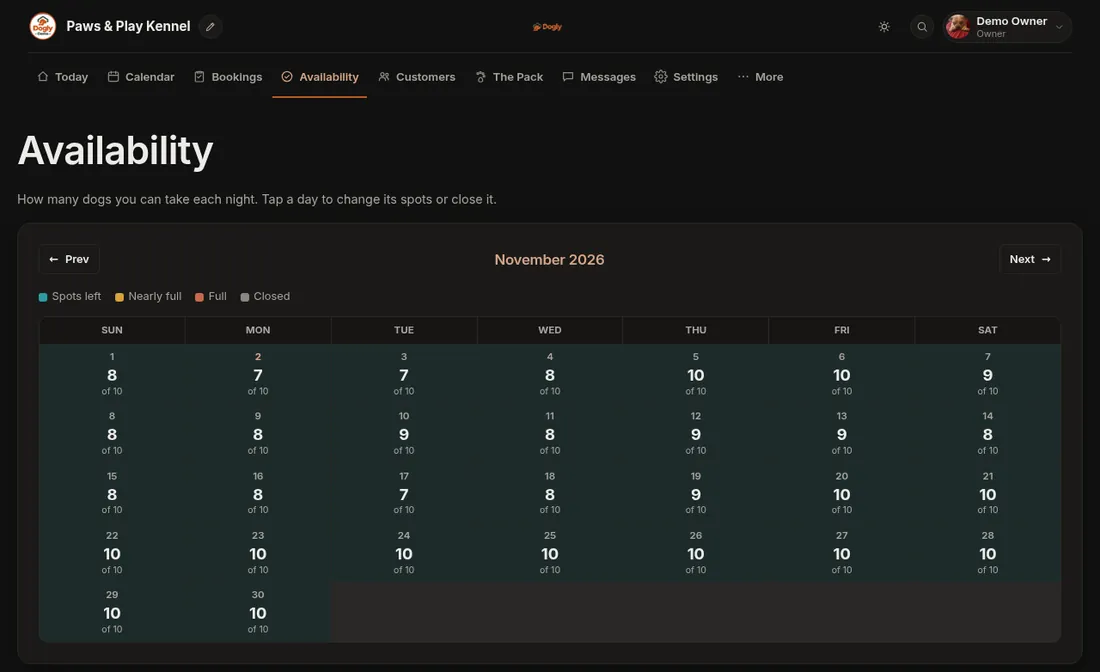
Boarding is counted in nights. You set a default number of dogs you can take each night, then override it for a specific date or close the date completely. Customers choosing dates only see what is open, and a month grid shows you the spots left on each night. If you have large and small runs, you can switch on capacity pools so a booking for a big dog only draws from the big-dog pool. Out of the box, boarding and daycare share one pool, so a busy daycare day uses up the same spots.
- Default capacity with per-date overrides
- Closed days for holidays and staff breaks
- Optional separate pools by run type
- Spots left shown per night on the availability grid
Pricing a stay properly
Boarding is priced per night. On top of the base price you can add a holiday or peak-date surcharge, either a fixed amount or a percentage, that repeats every year so you do not have to remember Christmas. You can add a per-night extra for dogs over a weight you choose, a percentage discount for long stays, and a per-night discount for a second dog. The customer sees the total before they submit. Add-ons such as an extra walk are a flat price per booking, not per night.
- Holiday and peak surcharges that repeat yearly
- Size surcharge over a weight you set
- Long-stay percentage discount, boarding only
- Second-dog discount per night
Deposits, cancellations and refunds
If you want money up front for busy dates, switch on deposits and set a percentage or a fixed amount per service. Deposits are charged on online card bookings. Bookings paid by e-Transfer or in person are paid in full on site. You set how many hours before arrival a customer can cancel for free. After that, a late fee is a percentage of what was paid. Refunds can be full or partial, and card refunds go back through Stripe or Square.
- Deposit as a percentage or fixed amount, per service
- Free cancellation window you choose, 48 hours by default
- Late fee as a percentage of what was paid
- Optional automatic refund when a customer cancels in time
Check-in day and the daily record
Each dog's profile holds temperament, feeding, medication, vet and emergency contact, plus private staff notes and a red, yellow or green flag. You can print a run card for a stay and a pet card for a dog. During the stay your staff tick through a daily care checklist and can post a photo update that is emailed to the owner. There is no separate check-in button. The today view lists dogs arriving, in-house and leaving, and you mark a stay completed when it ends.
- Run cards and pet cards you can print
- Daily care checklist per stay
- Photo updates emailed to the owner
- Colour flags for dogs that need extra care
Vaccinations and the waiver
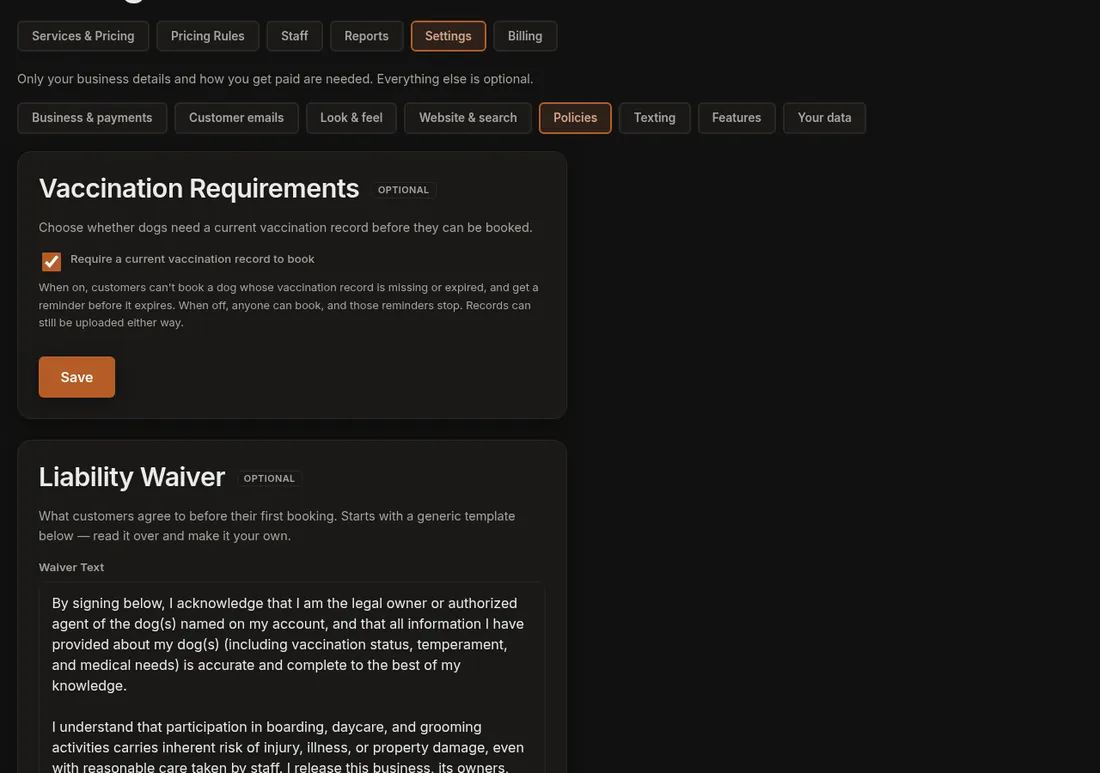
Each dog has a vaccination expiry date and an optional uploaded record. By default a booking is refused when that date is missing or past, so an out-of-date dog never lands on your calendar. You can turn that rule off. Customers sign your waiver once, and again only if you issue a new version. The signature is kept with the date and the IP address it came from.
When the weekend is full
If a date is full, a customer can join the waitlist for it. When a spot opens, the oldest request is emailed. Nothing is held for them, so the first person to book gets the spot. Waitlists cover boarding and daycare, are email only, and each customer can have up to five entries. Unpaid online bookings are also released automatically after a hold time you choose, from 30 minutes to 24 hours, so abandoned checkouts do not block your calendar.
Limits worth knowing
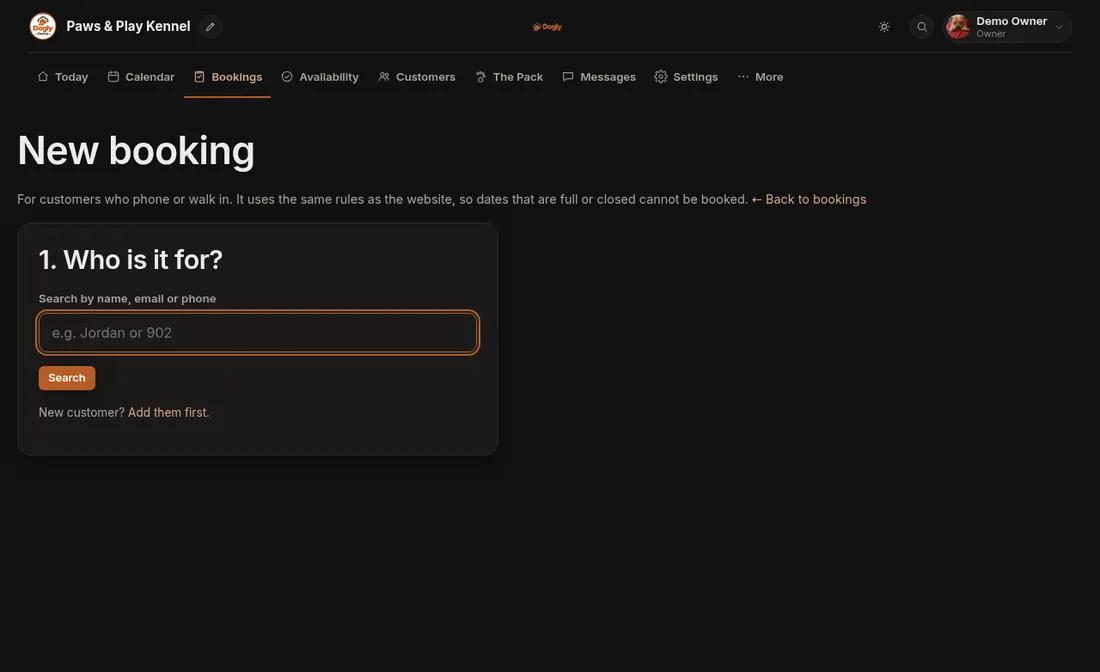
Repeat bookings cover up to 12 visits at a time for one dog, so a dog that boards every month can be set up as a monthly repeat and booked again later. Multi-dog bookings cannot be moved to new dates once made. Saved cards work with Stripe only. Sales tax is a single rate. If any of those is a deal-breaker, it is better to know now, and the 30-day trial lets you test your real routine before paying.