Dogly / Kennel management
Dog kennel management software for the whole day, not just the booking
Most kennels start with a paper calendar, a spreadsheet and a lot of memory. Dogly puts bookings, dog records, staff, payments and your own website in one place, for one flat price. Here is what it covers, and what it does not.
Start your free trialSee a live demo
$75 CAD a month, everything included. 30-day free trial, no card required.
What kennel management software should actually do
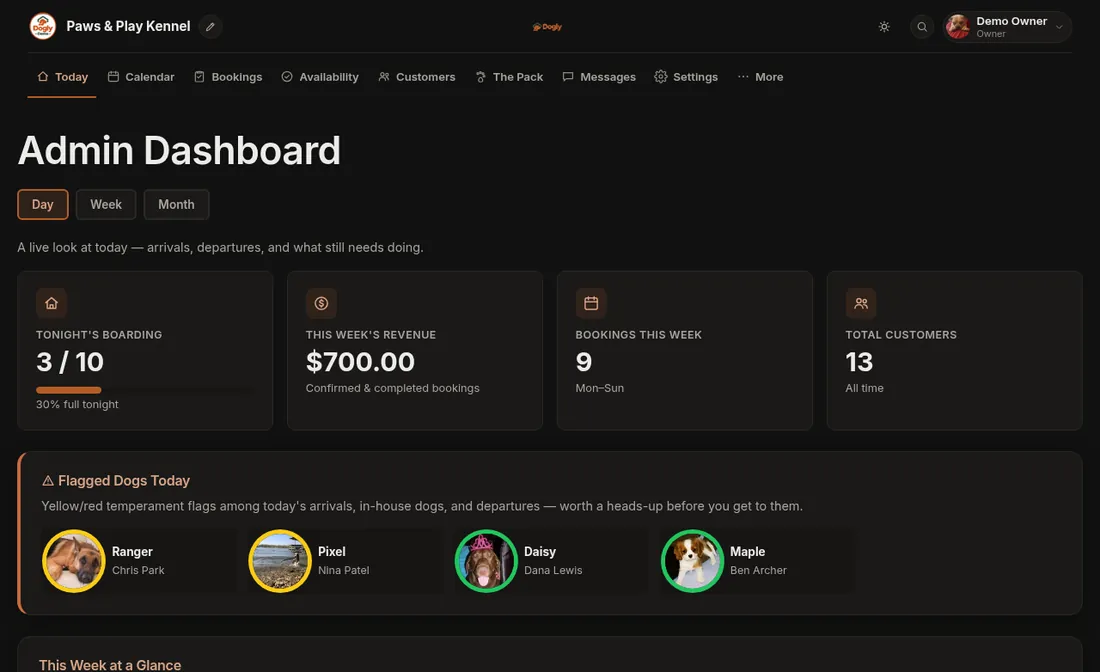
A kennel runs on small jobs done on time: who is arriving, which spots are free, which dog needs medication at noon, whether a vaccination record has lapsed. Good software takes those jobs off your memory and puts them on one screen. Dogly is built around that daily rhythm. You open the dashboard and see who is arriving, who is in the building and who is leaving today, plus any dog flagged for a heads-up.
- Today view with arriving, in-house and leaving lists
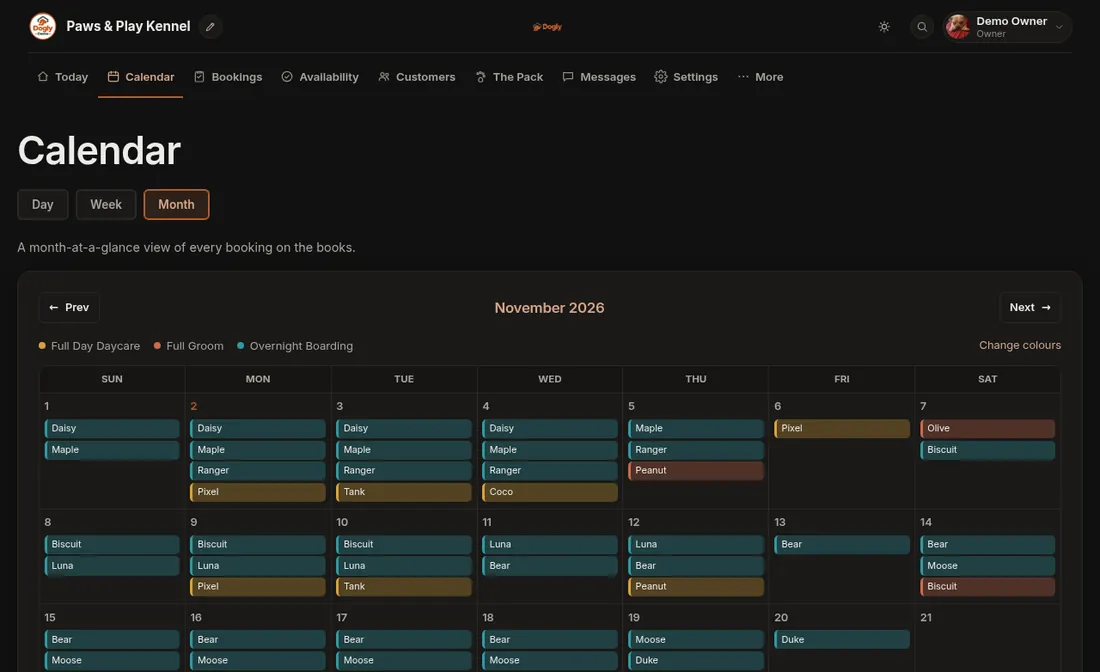
- Month and week calendars, colour-coded by service
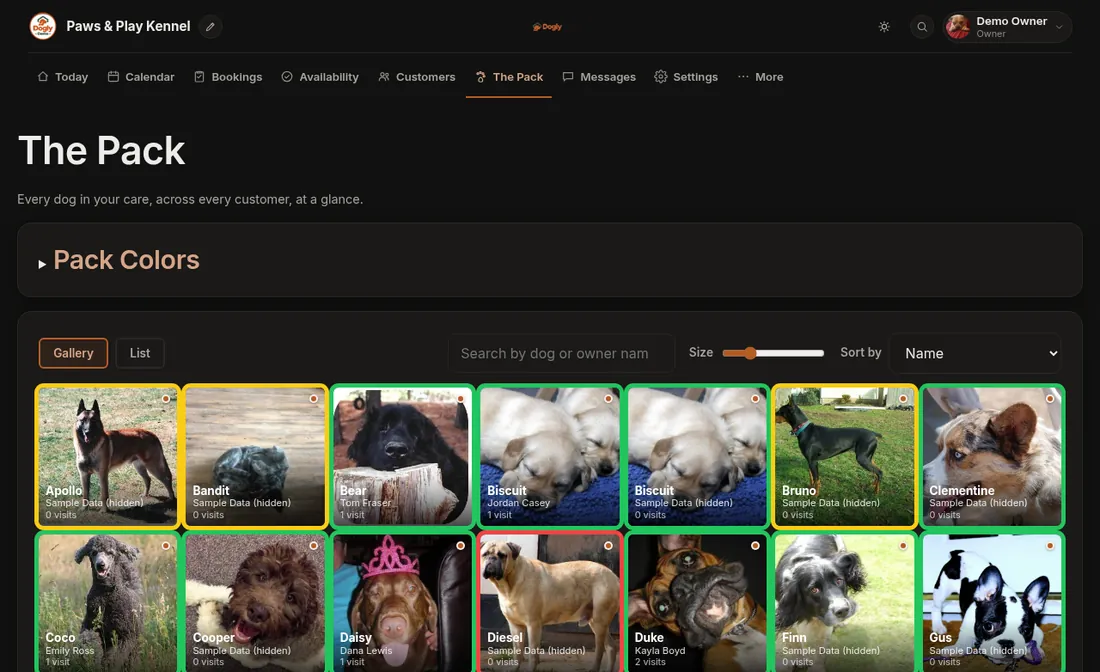
- Dog and customer records your whole team can search
- Daily care checklist for each stay
- Printable day and week schedules, run cards and pet cards
Bookings and capacity you control
You set how many dogs you can take each night and each day, close dates for holidays, and override the number for a single date when you know you will be short-staffed. The availability grid shows spots left per date, so a full weekend is visible weeks ahead. Staff can also enter a phone or walk-in booking from the dashboard, which is labelled an offline booking. Boarding and daycare draw from the same capacity unless you switch on separate capacity pools, for example one for large runs and one for small. Grooming works differently: it uses appointment time slots that you create.
- Default nightly capacity plus per-date overrides
- Closed days and holiday blackouts
- Optional separate pools by run type
- Several dogs from one household in a single booking
Customers book themselves
Your customers get an account on your own site, using email and password or Google. They add their dogs, pick dates, sign your waiver and pay. They can see your prices and dates before they log in, and they only need an account when they submit. When they finish a stay they can start a new booking from it, which opens the form already filled in. That cuts phone calls and double entry without removing your control, because you set the rules: vaccination requirements, the waiver, the cancellation window and the hold time on unpaid online bookings.
- Your own site address, or your own domain
- Waiver signed once per customer, again only if you issue a new version
- Cancellation by the customer within the window you set
- Waitlist for full boarding and daycare dates
Money, tax and refunds
Card payments go through your own Stripe or Square account, so the money lands with you and Dogly takes no commission. Stripe or Square still charge you their normal processing fees. Customers can also pay by Interac e-Transfer or in person, which your staff mark as paid by hand. You can refund in full or in part, set a free cancellation window with an optional late fee, and produce PDF receipts and invoices with your tax line. You set one tax name and rate, and your prices can include it or have it added on top.
- Stripe or Square, in Canadian or US dollars
- Holiday prices that repeat yearly, size surcharges, long-stay and second-dog discounts
- Deposits and packages, both off until you switch them on
- End-of-day tally and a list of bookings still waiting to be paid
Staff, safety and your team
There are owner and staff accounts. The owner decides, per staff member, whether they can take payments, cancel bookings, change opening hours and closed dates, see reports, export data, delete customers, issue refunds, edit the gallery, blog, newsletter and birthday messages, or manage reviews. Everything else is open to staff, so this is a light permission system, not a detailed one. Owners and staff can turn on two-step sign-in with an authenticator app, and each kennel's data is kept separate from every other kennel's. There is also an optional staff time clock if you want to track hours.
- Nine switchable permissions per staff member
- Optional two-step sign-in with recovery codes
- Optional staff time clock and timesheets (payroll prep, not payroll)
- Search across bookings, dogs and customers
A website that comes with it
Dogly gives you a public site on a yourkennel.dogly.ca address, and you can move it to your own domain later. You pick one of 9 templates and 16 colour themes, add your logo, and write your own text on your Home, About, Services, Gallery, Reviews and Contact pages (plus the optional First Visit, Team and Webcams pages), plus a blog. The layouts are fixed, so it is not a drag-and-drop builder, but it means you do not pay for or maintain a separate website.
- 9 templates and 16 themes, with your logo, fonts and hero photo
- Reviews you approve before they show
- Blog and photo gallery
- Search title and description fields for each page
What Dogly does not do yet
Better to know before you start. Repeat bookings (weekly, every 2 weeks or monthly, up to 12 visits at a time) and saved cards are optional and stay off until you switch them on. Saved cards work with Stripe only, not Square, so on Square customers enter their details each time. Imports bring over customers and dogs from an Excel or CSV file, not booking history. There is one tax rate per kennel, the interface is in English, and there is no App Store app, though staff and customers can add the site to a phone home screen.