Dogly / Online waiver
An online waiver for dog boarding, signed once and kept on file
A paper waiver at the front desk means lost forms, illegible signatures and a pile of folders. Dogly collects the signature online before the first booking and keeps the record. Here is how it works and what it is not.
Start your free trialSee a live demo
$75 CAD a month, everything included. 30-day free trial, no card required.
How customers sign
When a customer books for the first time, Dogly asks them to read your waiver and sign it by typing their name. They cannot complete a booking until they have, so you never find yourself at the door with an unsigned owner. It happens on their own phone or computer, at home, before they arrive with the dog. Returning customers are not asked again unless you change the waiver. A customer who has not signed cannot get a booking through, so there is no separate chase by email. Staff entering a booking by phone for an existing customer will see in the customer's record whether the waiver is on file.
- Read and sign with a typed name
- Required before a booking goes through
- Done at home on a phone or computer
- No paper and no printing
What is stored
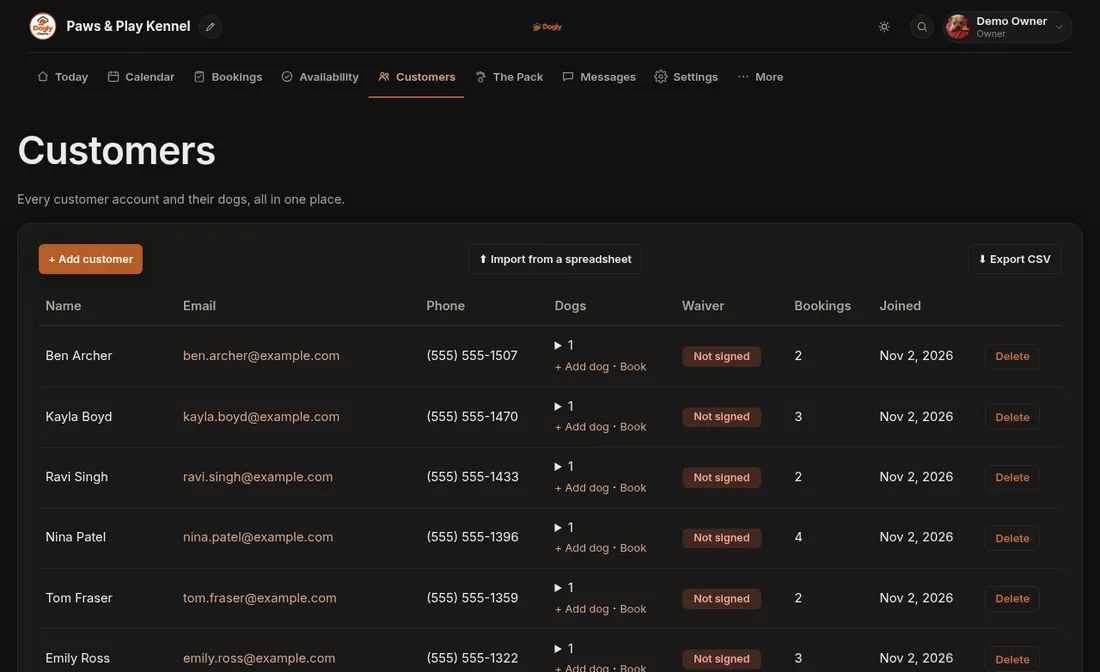
Each signature is saved against the customer's account with the version of the waiver they signed, the date and time, and the IP address they signed from. The owner can see on the customers list whether someone has signed. The waivers are also included in the zip you can download of all your data, as spreadsheets, so your records are not locked inside the system. Because the signature is per waiver version, you can always tell which wording a customer agreed to, even after you have rewritten the waiver. Keep a copy of each version you publish in your own files, since the system stores the signature against the version number.
- Signed name and waiver version
- Date, time and IP address
- Visible in the customer list
- Included in your data download
Writing your own wording
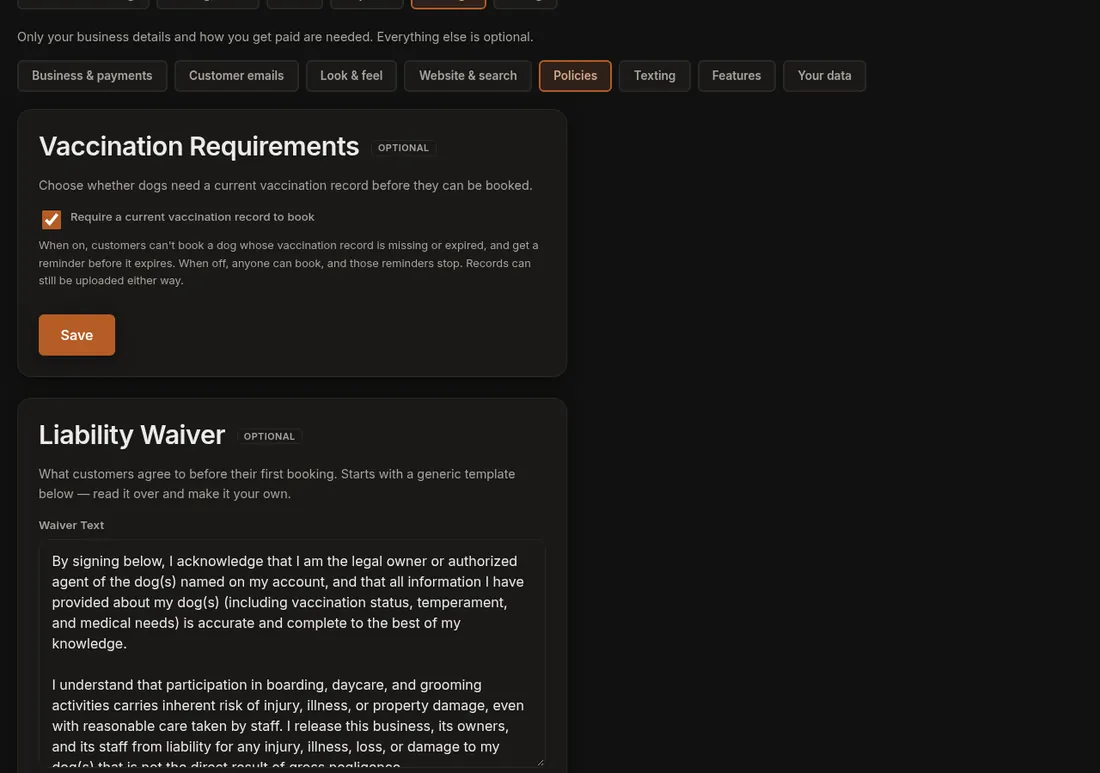
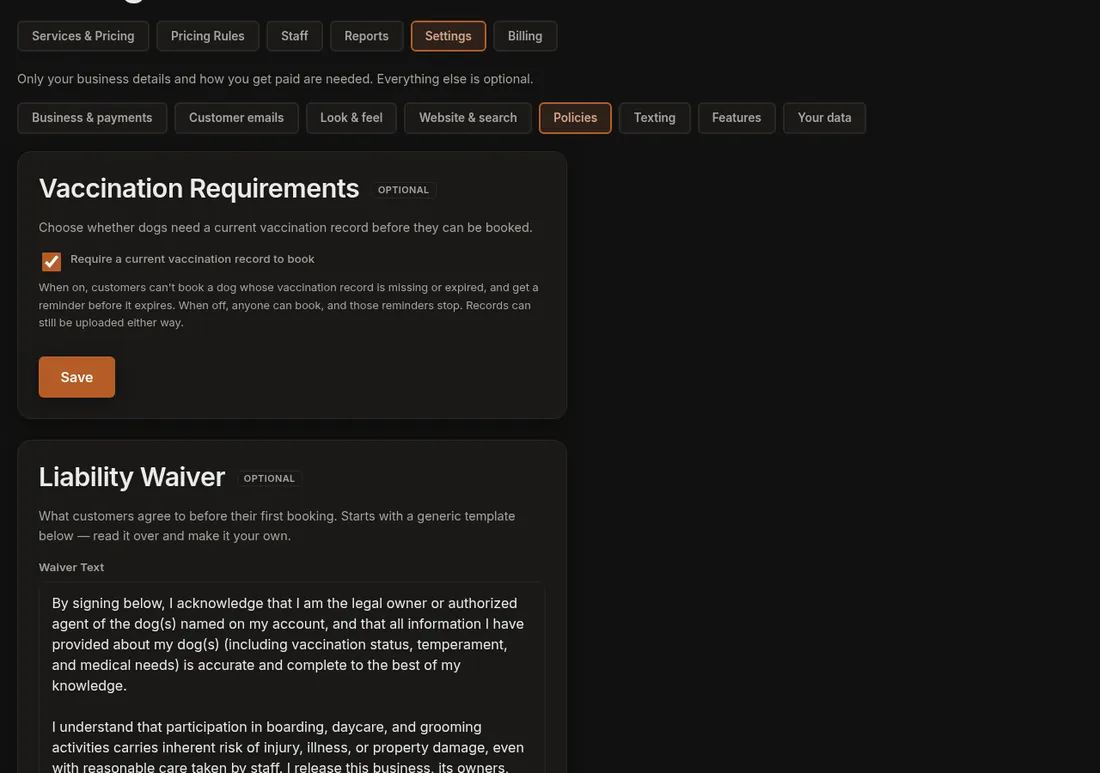
Dogly starts you with a generic template so you are not facing a blank page. Read it, then change it to fit your own kennel in Settings, under Policies. Only the account owner can edit the waiver. A waiver is a legal document, and Dogly is not a law firm and gives no legal advice, so have the final wording read by your own lawyer or insurer. The software's job is to collect and keep the signature. Many kennels include the key terms in plain language: vaccination requirements, vet-care authorisation and who pays, behaviour and removal from group play, pick-up deadlines and what happens to unclaimed dogs, and photo permission for your website. Include only what applies to you.
- Starts from a generic template
- Edited by the owner in Policies
- Have your lawyer or insurer review it
- Your wording, shown to every customer
Changing the waiver later
Rules change: a new daycare policy, a different cancellation term. When you update the text and want everyone to agree to the new version, use the require re-signing option. It raises the version number, and every customer then has to sign again before their next booking. Customers who have not been in for a while will see it the next time they book. If you only fix a typo and do not require re-signing, existing signatures stay valid.
- Require re-signing raises the version
- Everyone signs again before the next booking
- Minor edits do not force anyone
One signature per customer, not per dog
The waiver is tied to the customer account, not to each dog. A household with three dogs signs once. If you need a separate agreement for every dog, such as a medical-treatment authorisation that differs by animal, include that in the waiver wording, because Dogly does not collect a signature per dog. Dogs have their own fields for vet, medication and emergency contact.
Waiver and vaccinations together
Most kennels want two things checked before the dog arrives: the owner has agreed to your terms, and the dog's vaccinations are current. Dogly checks both when booking. The waiver rule is always applied, and the vaccination rule is on by default and can be turned off. A customer who has not met them sees a message that explains what to fix.
What it is not
This is a typed-name signature with a record, not a certified e-signature service with a legal audit trail from a third party. Whether it satisfies your insurer is a question for them. If your insurance requires a specific form, ask them before you rely on it. Customers also cannot export or delete their own waiver record, so a request goes through you.