Dogly / Kennel website
A dog kennel website that comes with your booking system
Most kennels pay once for a website and again for booking software, then fight to keep them in step. With Dogly, the website and booking system are one thing. Here is what you can change, what is fixed and how to get found on Google.
Start your free trialSee a live demo
$75 CAD a month, everything included. 30-day free trial, no card required.
A website and a booking system in one
When you sign up, your kennel gets a public website straight away on a yourkennel.dogly.ca address. It has your services, your prices and a booking page that works. The same site is where customers create accounts, sign your waiver, pay, leave reviews and message you. There is nothing to connect, because it is one product. This is a tool for the kennel that does not want to design a website from scratch.
- Working site from day one
- Booking, accounts and payments built in
- No plugin or separate hosting to manage
- Staff and customers can add it to a phone home screen
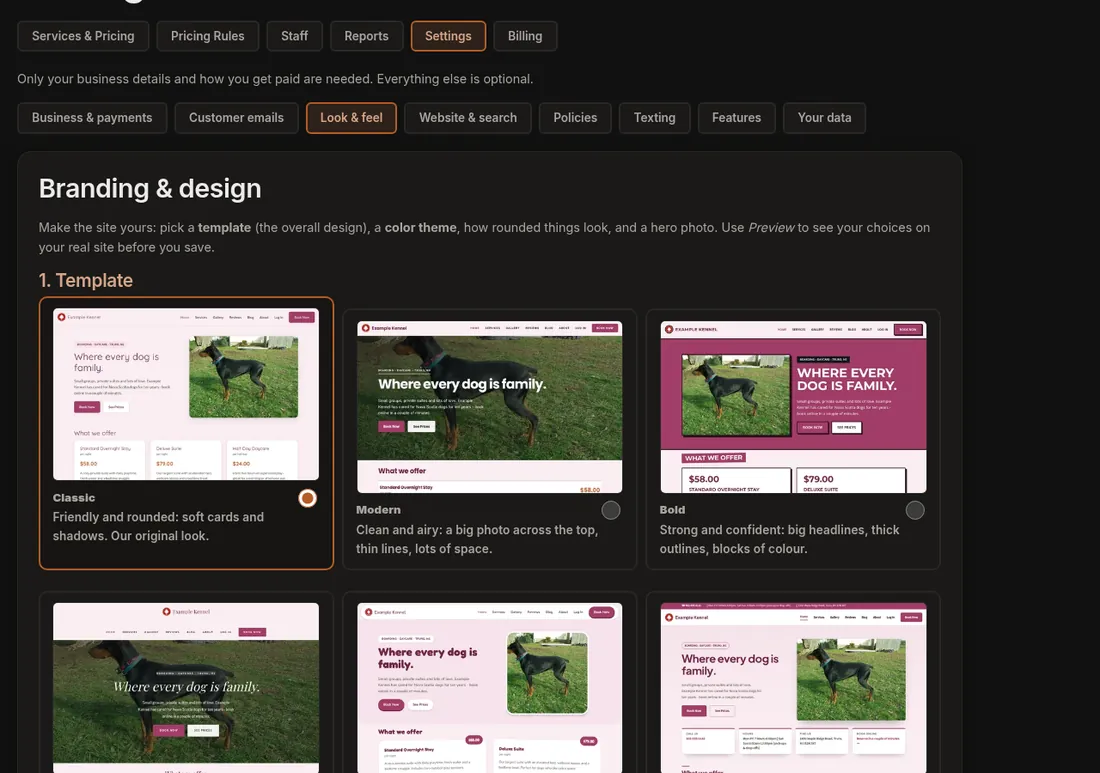
9 templates and 16 themes
You choose from 9 templates, named Classic, Modern, Bold, Elegant, Playful, Clinic, Serene, Rustic and Metro, and 16 colour themes. That is 144 combinations before you change anything yourself. Then adjust the logo, colours, fonts, the hero photo and style, corner style and layout mix. You can add an announcement bar for closures or holiday notices, and links to your social accounts. Your customers never see a Dogly logo on your site or in your emails.
- 9 templates, 16 colour themes
- Your logo, colours, fonts and hero photo
- Announcement bar
- Social links
Pages, blog, gallery and reviews
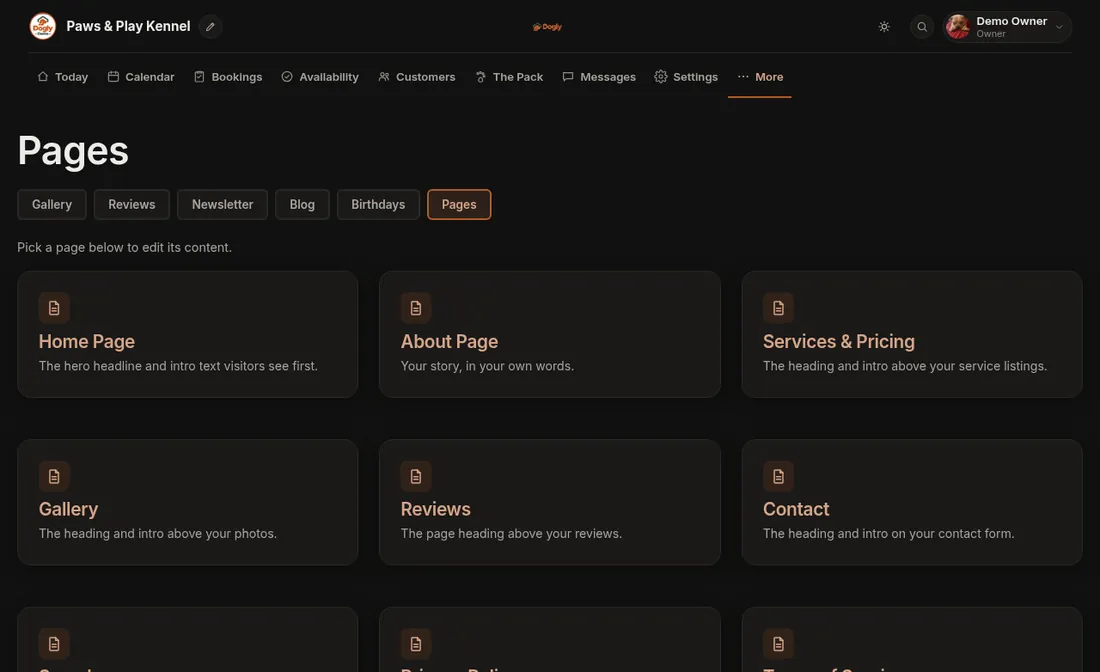
You write the text on your Home, About, Services, Gallery, Reviews and Contact pages (plus the optional First Visit, Team and Webcams pages) with a simple toolbar editor (bold, links, lists, headings and photos), including text above and below the services list, gallery, reviews and contact form. A photo gallery lets you upload pictures with captions and reorder them. The blog lets you post with images, which suits seasonal posts about holiday booking dates or what a day at daycare looks like. Customers who are logged in can leave reviews, which you approve before they appear, and you can reply or add one manually. The layouts are fixed, so this is content editing, not a drag-and-drop page builder.
- Home, About and Services pages
- Gallery with captions and ordering
- Blog with images
- Reviews approved before they show
- Optional webcam embed, off by default
Your own domain
Using your own domain, such as yourkennel.com, is included. In Settings you enter the domain and Dogly shows you the DNS records to create: a verification record and the pointer to Dogly. We check every 15 minutes, and once it is verified we set up the SSL certificate automatically. In practice, expect it to go live roughly 15 to 60 minutes after your DNS is correct, not instantly. If you use Cloudflare, there is an optional helper. You can start on the free address and switch whenever you like.
- Verification record plus the pointer
- Automatic SSL certificate
- Optional Cloudflare DNS helper
- Free dogly.ca address always available
Search appearance and SEO
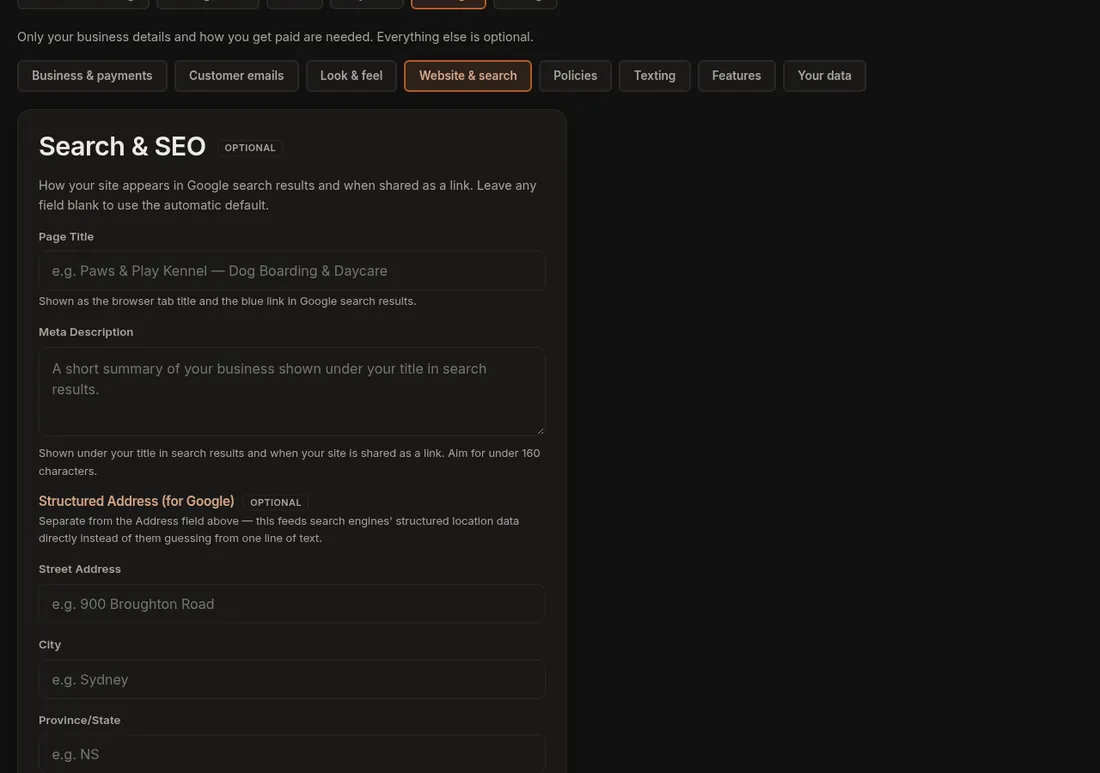
For each page you can set the title that appears in Google, up to 70 characters, and the meta description, up to 160 characters. If you leave them blank, Dogly writes a sensible default. Your site also has an automatic sitemap and structured data for your business and address, so search engines understand who and where you are. The most valuable thing you can do yourself is put your town and your services in the title and description, and keep a blog with local, useful posts.
- Title and description for each page
- Automatic sitemap
- Business and address markup
- Defaults if you leave fields blank
Bookings that start from the site
Customers can see your prices and open dates without logging in, and create an account only when they go to book. On a phone, the site works like an app once added to the home screen. Payment happens on a secure Stripe or Square checkout page that carries your logo and colours, and the customer returns to your site afterwards.
What the builder does not do
There is no drag-and-drop layout editing, no custom code and no unlimited extra pages with your own design. The interface and customer emails are English only. If you want a fully custom design, a designer-built site may suit you better, and you could link it to your Dogly booking page.